

Business Services

Business Services

Payroll

Let us show you how our payroll services can increase productivity and reduce overhead costs to allow you to focus more on your business. First Hawaiian Bank has partnered with Ceridian Employer Services and ADP to offer payroll solutions to help you prepare taxes, handle direct deposits, and more.

Please tell us a little about your business and our Our payroll vendor will contact you shortly. We look forward to learning about your needs and how we can help.

* Indicates a required field.

Contact Form - Japanese

Contact Form - Japanese

PPP Loan Forgiveness Form

PPP Loan Forgiveness Form

SBA Form 3508S

Thank you for your being a customer of First Hawaiian Bank and for partnering with us on your PPP loan.

Please complete the fields below to apply for forgiveness

Instructions and Important Information

  1. Only 1st draw PPP loan forgiveness applications will be accepted at this time
  2. The person who initials and signs this form must be an Authorized Representative of the Borrower.  An Authorized Representative is someone who has authority to take action on behalf of and to legally bind the Borrower.
    Type of Borrower Examples of Authorized Representative
    • Corporation
    • Nonprofit
    • President
    • Vice-President
    • Secretary
    • Treasurer
    • CEO
    • COO
    • CFO
    • Executive Director (only for nonprofits)
    LLC
    • Member Manager (for a member-managed LLC)
    • Manager (for a manager-managed LLC)
    Partnership
    • Partner
    • General Partner
    • Limited Partner
    • Sole Proprietor
    • Independent Contractor
    • Self-Employed Individual

    The borrower must be the Authorized Representative. Select "Owner" as the Authorized Representative's title.

  3. In an effort to streamline the forgiveness process, we are only collecting key fields from the 3508S (the SBA’s forgiveness form for PPP loans of $150,000 and less) to pair with information that we have on file from your PPP loan application. If the information provided passes our review, we will prepare the 3508S and submit your forgiveness application to the SBA using the Authorized Representative’s electronic signature and initials provided below. We will only reach out to you if we have any additional questions or concerns.
  4. You will have the opportunity below to indicate if you want to change any of the information that we have on file and will use to prepare the 3508S.

Forgiveness Information

Enter the TIN of the Borrower applying for loan forgiveness.  Enter the same TIN that the Borrower used when it applied for its PPP loan.

This should be equal to your original PPP loan amount IF you would like to apply for 100% forgiveness

Must be at least 60% of Requested Loan Forgiveness Amount. See FHB FAQs for more details

Certifications

The Authorized Representative of the Borrower certifies to all of the below by initialing after each one.

          The Borrower has complied with all requirements in the Paycheck Protection Program Rules (Sections 7(a)(36), 7(a)(37), and 7A of the Small Business Act, the PPP interim final rules, and guidance issued by SBA through the date of this application), including the rules related to:

  • eligible uses of PPP loan proceeds;
  • the amount of PPP loan proceeds that must be used for payroll costs;
  • the calculation and documentation of the Borrower’s revenue reduction (if applicable); and
  • the calculation of the Borrower’s Requested Loan Forgiveness Amount.

          Information regarding these requirements can be found in the Form 3508S Instructions (Click Here) and the Paycheck Protection Program Rules.

           The information provided in this application is true and correct in all material respects. I understand that knowingly making a false statement to obtain forgiveness of an SBA-guaranteed loan is punishable under the law, including 18 U.S.C. 1001 and 3571 by imprisonment of not more than five years and/or a fine of up to $250,000; under 15 U.S.C. 645 by imprisonment of not more than two years and/or a fine of not more than $5,000; and, if submitted to a Federally insured institution, under 18 U.S.C. 1014 by imprisonment of not more than thirty years and/or a fine of not more than $1,000,000.

           I understand that the Borrower’s eligibility for loan forgiveness will be evaluated in accordance with the Paycheck Protection Program (“PPP”) regulations and guidance issued by SBA through the date of this application. SBA may direct a lender to disapprove the Borrower’s loan forgiveness application if SBA determines that the Borrower was ineligible for the PPP loan.

           I understand that First Hawaiian Bank’s (the “Bank”) decision on the Borrower’s forgiveness application is subject to review by the SBA. The SBA has the right to change the Bank’s decision, which could include reducing the amount of forgiveness that the Borrower receives.

           I understand that if the PPP loan is not forgiven in full, the Borrower will need to begin making payments of principal and interest under the PPP loan after the SBA remits the loan forgiveness amount to the Bank (or notifies the Bank that no loan forgiveness is allowed). The Bank will notify the Borrower when the first payment is due. If the Borrower did not apply for forgiveness before the end of the deferment period, then the Borrower must begin making payments of principal and interest under the PPP loan at the end of the deferment period. The deferment period ends 24 weeks and 10 months after the date when the PPP loan was funded.

Optional PPP Borrower Demographic Information

Disclosure is voluntary and will have no bearing on the loan forgiveness decision

Instructions

  1. Purpose. Veteran/gender/race/ethnicity data is collected for program reporting purposes only.
  2. Description. This form requests information about each of the Borrower's Principals.
  3. Definition of Principal. The term "Principal" means:
      - For a self-employed individual, independent contractor, or a sole proprietor, the self-employed individual, independent contractor, or sole proprietor.
      - For a partnership, all general partners and all limited partners owning 20% or more of the equity of the Borrower, or any partner that is involved in the management of the Borrower's business.
      - For a corporation, all owners of 20% or more of the Borrower, and each officer and director.
      - Any individual hired by the Borrower to manage the day-to-day operations of the Borrower ("key employee").
      - Any trustor (if the Borrower is owned by a trust).
      - For a nonprofit organization, the officers and directors of the Borrower.
  4. Principal Name. Insert the full name of the Principal.
  5. Position. Identify the Principal's position; for example, self-employed individual; independent contractor; sole proprietor; general partner; owner; officer; director; member; or key employee.

Updates to Existing Information

We will prepare the forgiveness submission to the SBA using certain information that we already have on file from your most recent approved PPP loan application.  Please let us know if any of the following have changed from the time you obtained your most recent PPP loan.  You can review your signed PPP loan application (SBA Form 2483, 2483-C, 2483-SD, or 2483-SD-C) to see the information that we have on file.

Business Legal Name
DBA or Tradename
Business Address
NAICS Code
Business Phone
Primary Contact

Note: If you check the box to indicate changes, it will require additional manual follow-up from a specialized PPP resource from the Bank.

Sign and Submit

The person submitting this forgiveness application (the “Application”) certifies that: (1) s/he is the Authorized Representative of the borrower of the PPP loan that is the subject of this forgiveness request (the “Borrower”); (2) as the Borrower’s Authorized Representative, s/he is authorized to execute and deliver this Application on behalf of the Borrower; (3) submission of this Application by clicking the button below is the electronic equivalent of his/her signature on this Application in his/her capacity as the Borrower's Authorized Representative; and (4) all information and documents submitted are true, correct, and complete. The Authorized Representative acknowledges on behalf of the Borrower that: (a) if additional information becomes available that would have influenced the Bank's decision to approve this Application, the Bank reserves the right to withdraw any such approval; (b) the Bank will combine the information provided in this Application with the information that the Bank has on file from the Borrower’s PPP loan application (the “Prior Information”) in order to prepare the Borrower’s forgiveness submission to the SBA; (c) unless the Authorized Representative has indicated above that changes need to be made to the Prior Information, the Prior Information is still true and correct and can be used by the Bank in preparing the Borrower’s forgiveness submission to the SBA; and (d) the person who was previously designated by the Borrower as the Borrower’s primary contact will continue to be the person who receives all communications from the Bank.

FHB Online Business Enrollment Form

FHB Online Business Enrollment Form

Thank you for your interest in enrolling for FHB Online Business

(where your account statement is mailed)

Please select the service you would like to enroll for:
FEATURES Business Basic Business Banking
View Accounts & Transactions
X
X
eStatements
X
X
Internal Transfers
X
X
External Transfers
X
X
MoneyMap Finance Manager
X
X
Online Bill Pay  
X
Popmoney Person-to-Person Payments  
X
Small Business Entitlements[[1]]  
X
FHB Mobile Banking & Mobile Deposit
X
X
Monthly Fees
FREE2
$5.993
(Free for Priority Banking)

[[1]] Entitlements - This service allows you to create sub-users and grant restricted FHB Online access to each account at the level of your choosing (No Access, View Access or Full Access) and is included at no additional charge (up to 2 sub-users). This feature must be enabled on your FHB Online Business account prior to setting up sub-user access. Visit fhb.com/entitlements to learn what features sub-users are able to access. (To enable Entitlements in the future, you can submit a request via FHB Online Secure Message.) 

[[2]] FHB Online Business Basic: Free for business customers. If you choose to enroll for Online Bill Pay, Popmoney or Entitlements in the future, you will automatically be upgraded to FHB Online Business Banking. Direct Connect access via Quicken or Quickbooks: $14.95/month that the service is used (Priority Banking waivers not applicable).

[[3]] FHB Online Business Banking: Free for Business Priority Banking 1, 2, & 3 and $5.99/month for all other business checking customers. If you have chosen to enable Entitlements, your FHB Online account includes up to 2 sub-users without charge. If you wish to add more sub-users, you will be charged $1 per sub-user per month. Direct Connect access via Quicken or Quickbooks: $14.95/month that the service is used (Fee is inclusive of FHB Online Business Banking service fee. Priority Banking waivers not applicable.) 

REQUESTED USERNAME:
Your Username is used each time you log in to FHB Online & Mobile Banking and must be unique for each customer. Please provide three preferred usernames below. If we are unable to use any of your username choices, we will provide one for you. Your Username must be between 6 and 20 characters, starting with a letter and comprised of only letters and numbers. No spaces, special characters, or punctuation allowed.

PPP Loan Forgiveness Form

PPP Loan Forgiveness Form

Request to Apply for Forgiveness of PPP Loan

Please complete the form below to let us know that you are ready to apply for forgiveness of your Paycheck Protection Program (PPP) loan.  

Tip: Your SBA Loan Number and the Loan Amount may be found at the top of the first page of the Promissory Note for your PPP loan.  

Important:

  • Only use this form if your PPP loan is more than $150,000
  • If your PPP loan is $150,000 or less, click here for information about your forgiveness process.  

* Indicates a required field.

Need to change the contact email?

Careers FAQs

Have more questions?

Or call customer service at (808) 844-4444.

Investing & Insurance FAQs

Have more questions?

Or call customer service at (808) 844-4444.

Lending FAQs

Have more questions?

Or call customer service at (808) 844-4444.

Business Banking FAQs

Have more questions?

Or call customer service at (808) 844-4444.

Personal Banking FAQs

General

    • To check your balance by phone, call your branch at the number listed on your statement or our 24/7 automated voice service at 808-844-4444 or toll-free at 1-888-844-4444.  You can also log in to FHB Online Banking or the FHB Mobile app to quickly, and conveniently view your account balances at any time.  To enroll, go to fhb.com/enroll or download the FHB Mobile app.

      To update or reset your PIN, please do one of the following:

      • Reset your PIN in the FHB Mobile App     
        • Login to your FHB Mobile App and select your credit card or the checking account associated with your debit card     
        • Tap 'Account Details’     
        • Tap ‘Manage Card Account’     
        • Select ‘Set Up PIN’ from the drop-down menu
      • If you know your current PIN and would like to change it, you may also contact (808) 844-4321 or 1-800-545-6300. You will be asked to identify yourself using your current PIN before you can reset your PIN.
      • Contact FHB Customer Service Daily 7AM – 7PM HST at (808) 844-4444 or Toll-Free (888) 844-4444 

        When opening a new credit or debit card account, your PIN will be mailed to your mailing address on file. It will be mailed separately from your card for security purposes and should arrive a day or two after your new card is received.

        If you have not received your PIN after more than the timeline above, please contact FHB Customer Service Daily 7AM – 7PM HST at (808) 844-4444 or Toll-Free at (888) 844-4444 or visit the nearest branch for assistance. 

          There are many ways, including:

          • FHB Online® - transfer funds between First Hawaiian Bank accounts, to accounts at other financial institutions or to accounts belonging to other people. In addition, if you sign up for the optional Bill Payment feature, you can pay all of your bills online in one place.

          Note: Some features have additional fees. See terms & conditions for details.

          • Cash withdrawals from First Hawaiian Bank ATMs and other ATMs
          • Transfers between linked accounts at First Hawaiian Bank ATMs
          • Make purchases at participating merchants using your debit card
          • Personal checks
          • Transactions with a branch teller

          Additional transaction fees may apply. Refer to the disclosures you received at account opening or inquire at a First Hawaiian branch.

            • To check your balance by phone, call your branch at the number listed on your statement or our 24/7 automated voice service at 808-844-4444 or toll-free at 1-888-844-4444.  You can also log in to FHB Online Banking or the FHB Mobile app to quickly, and conveniently view your account balances at any time.  To enroll, go to fhb.com/enroll or download the FHB Mobile app.

              To avoid holds, you can use:

              • Direct deposit: You can avoid having a hold placed on your check by using direct deposit instead. If you have recurring income like a paycheck, pension payment or Social Security check, arrange to receive it by direct deposit.
              • Cash deposits made at a teller window are usually made available no later than the next business day.

                A hold means that although we’ve received your check for deposit, you won’t be able to use the funds until the hold period has expired. Depending on the type of check that you deposit, funds may not be available until the third business day after the day of your deposit. However, the first $225 of your check deposits will be available on the first business day after the date of your deposit. If the deposited item is returned unpaid before the hold expires, those funds will not be made available to you. If the deposited item is returned after the hold expired, we charge your account for the amount of the item. Holds are placed to help protect both you and us from losses that could occur when a deposited item is returned unpaid. Situations that typically cause a check to be held include:

                • There is reason to believe the funds may be uncollectible
                • The source of the check (e.g., foreign checks)
                • The account is a new account (new account rules apply for the first 30 days the account is open)
                • The account has repeated overdrafts in the last 6 months
                • You deposit checks totaling more than $5,525 on any one day
                • Fraud is suspected
                • Emergency situations, including computer or communication failure. Incorrect routing or account number information on a deposit slip

                  The speed with which we make your deposited funds available depends on a number of factors, including how, when, and where you made your deposit. For example:

                  • Direct Deposit: First Hawaiian Bank credits your account on the day the deposit is scheduled to occur. In most cases, a direct deposit is the fastest and easiest way to get funds into your account. Also, direct deposits are free.
                  • Wire Transfer: First Hawaiian Bank credits your account the day we receive it. Wire transfers typically have to be set up for each transfer. In most cases, there is a fee for sending or receiving a wire transfer, but it can be worth the expense since you know the money will be there when you need it.
                  • Cash with a Teller: Funds are available no later than the next business day.
                  • Checks: A hold may be placed on your deposit, depending on the type of check. If you're not sure, ask your teller when the funds you deposited will be available. 

                    To make a deposit by mail, send your check(s) to your branch of account. Please use our branch locator to find your branch of account’s address. Please do not mail cash.

                    • In FHB Online & Mobile Banking, you can use External Transfers to transfer money to your FHB checking account from your accounts at another bank.  Learn more about External Transfers.
                    • The FHB Mobile app allows you to mobile deposit checks up to $10,000 per business day into your FHB checking account.  Learn more about Mobile Deposit.
                      • Cash, check, and coin deposits are accepted at all First Hawaiian Bank branches. Please see a teller to conduct your deposit.
                      • Cash and check deposits are accepted at most First Hawaiian Bank ATM’s.
                      • Wire transfers are accepted into personal and business accounts; however incoming wire fees may apply.
                      • Electronic Funds Transfers (EFT’s) such as direct deposits from employers or other businesses are accepted into personal and business accounts at no charge from First Hawaiian Bank.
                      • Check deposits are accepted via mail to your branch of account. Please allow additional time for processing delays due to mail time. 

                        An Item Enclosure fee is charged when you receive a copy of your canceled checks with your statement. You may request to be added onto CheckStorage to avoid the Item Enclosure fee by contacting our customer service line at 1-888-844-4444.

                          A Check Image Service fee is charged for returning images of your canceled checks with your monthly statement. You can receive an online version of your statement which includes images of your canceled checks at no cost. To enable eStatements, login to FHB Online Banking and select your account, then click the Online Statement link.  Follow the prompts on the screen to enable eStatements for each of your accounts.  To enroll for FHB Online, go to fhb.com/enroll. Learn more about eStatements.

                            • You can request a stop payment on a personal check at any branch or by calling 1-888-844-4444.
                              You will need to provide the following information:
                              • Check number and/or amount
                            • Check Stop Payments - Unless removed, this order will expire 6 months from today.  
                            • Recurring EFT Stop Payments - Unless removed; this order will remain indefinitely

                            Please note that all the information provided by you must be exactly correct or the stop   payment may not be effective.  This order will not be effective if the bank has already cashed the item or is already committed to honor the item. A stop payment cannot be placed on an item that has already been presented. A fee of $30.00 will be charged to your account for this stop payment.    

                              • To check your balance by phone, call your branch at the number listed on your statement or our 24/7 automated voice service at 808-844-4444 or toll-free at 1-888-844-4444.  You can also log in to FHB Online Banking or the FHB Mobile app to quickly, and conveniently view your account balances at any time.  To enroll, go to fhb.com/enroll or download the FHB Mobile app.

                                A scheduled transfer is a way of automatically moving money from your checking account to another checking or savings account each pay period.

                                To set up your Automatic Transfers, simply sign in to FHB Online service and click the "Transfer Funds" tab at the top of the page. Or, you can visit your nearest branch, where an associate will be happy to assist you.

                                Direct Deposit

                                  There is no charge for direct deposit.  First Hawaiian Bank’s direct deposit is free of charge. No fee to setup direct deposit to any of your First Hawaiian Bank personal accounts - checking, savings, or money market account.

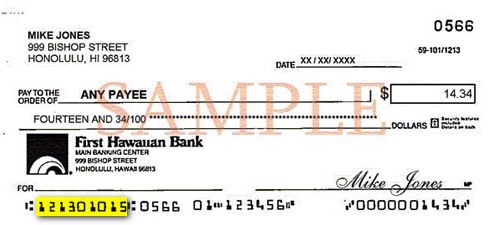
                                    With your First Hawaiian Bank account number and the bank’s routing number or a voided check, go to your employer or the funding entity and request direct deposit. Most direct-deposit requests can be implemented by your next payday.

                                      Direct deposit automatically places your paycheck, pension, Social Security, or other regular monthly income into your checking, savings, or Money Market account. It's convenient, secure, and saves trips to your branch.

                                      Online Checking & Savings Account

                                        You should have received an email notification with a link to “Verify Deposits”. You will be taken to a page where you will need to verify your identity. Once verified, you will be asked to enter the two small deposit amounts you received in your external account to complete the verification process. If you need additional assistance, please call us at (808) 844-4545 or toll free at (800) 894-5600, Monday to Friday from 8am - 5pm HST.

                                          Please confirm that the checking or savings account you are funding from has a higher available balance than the total deposit amount for your new account(s). If it doesn’t, you can either choose to fund from your account at another bank or by mailing in a check. If your current available balance is higher than your funding amount and you are still receiving an error, please contact us at (808) 844-4545 or toll free at (800) 894-5600, Monday to Friday from 8am - 5pm HST for assistance.

                                            Once your new checking or savings account is opened online, you can enroll for and login to FHB Online Banking to view your new account and the full account number. You also receive a confirmation email with a link to view your new account(s). You will be taken to a page where you will need to verify your identity. Once verified, you can view detailed information about your new account(s).

                                              If you ordered checks or a debit card when you opened your new account online, they should arrive within 10-12 business days to Hawaii, Guam or Saipan addresses.

                                              If your account has already been opened and you want to order checks for the first time, please call our customer service at (888) 844-4444.

                                              If you do not remember if you chose to order checks or a debit card during the online account opening process, please refer to your confirmation email with the link to view your account(s). From there, you will be taken to a page where you will need to verify your identity. Once verified, you can view detailed information about your new account(s) including if checks or a debit card was ordered. If you need additional assistance, please call us at (808) 844-4545 or toll free at (800) 894-5600, Monday to Friday from 8am - 5pm HST.

                                              Yes-Check[[®]]

                                                Yes-Check links your First Hawaiian Bank checking account to a line of credit – and automatically transfers available funds when your checking account doesn't have enough money to cover your transactions. This service gives you the flexibility to make payments when you don't have enough money in your checking account at the time of the transaction.

                                                  Yes, if the available balances in your checking account and Yes-Check are not enough to cover an item, you may be still be charged an Overdraft Fee (OD) or Non-Sufficient Funds (NSF) Return Item Fee.

                                                    Please see a Customer Service Representative at a First Hawaiian Bank branch for current Rates and Fees.

                                                      You can apply for Yes-Check by visiting any First Hawaiian Bank branch.

                                                      Have more questions?

                                                      Or call customer service at (808) 844-4444.